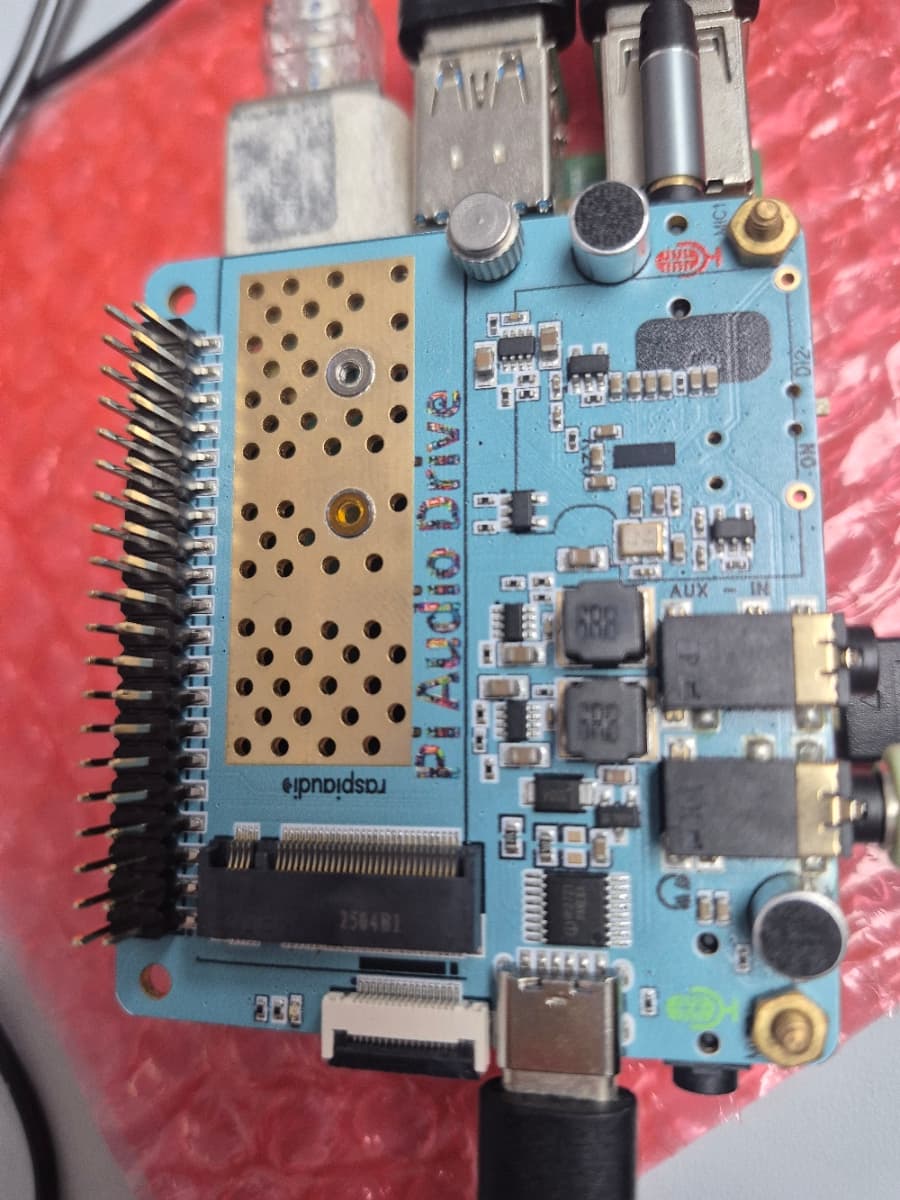
Hi, I just buy in Amazon. But it can not use audio or mic function. Is there some parts missed? Please help.
Hello,
be sure the have an up to date system:>
sudo apt-get update
sudo apt-get upgrade
sudo rpi-update
Then on PI OS you should have on your desktop of the top right corner a speaker and a microphone icon.
the guide is here
thx
also do a :
grep -a . /proc/device-tree/hat/*you should have something like:
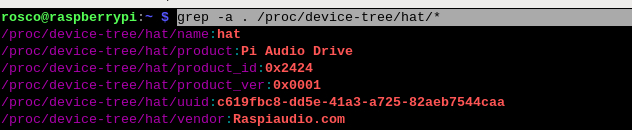
then load profile :
git clone GitHub - RASPIAUDIO/Pi-Audio-Drive: Tools for the Raspiaudio Pi-Audio-Drive HAT
cd Pi-Audio-Drive
sudo alsactl restore -f MIC_HP_SPK
plug a headphone you should hear something
Thanks,
I’ll try the grep and will report, although I have little hope since it doesn’t show at the level accessible to me.
I did the RASPIAUDIO/Pi-Audio-Drive several times, also on fresh installs.
sudo alsactl restore etc. of course throws an errror as pasted previously.
Is it possible that the card left manufacturing without the eeprom data?
The OS is up to date, updating is something I do almost every day on all of my raspi’s and other computer I own.
Sure hope we can resolve this issue, would be the perfect solution for my project.
The update was released a few hours ago, it was a bug in the driver overlay afeting many audio cards, I just did
sudo apt-get update
sudo apt-get upgrade
sudo rpi-update
then it was working again
I did all the suggested, but still have not anything that remotely resembles the audio card.
pi@raspberrypi:~/Pi-Audio-Drive $ sudo alsactl restore -f MIC_HP_SPK
alsa-lib main.c:1541:(snd_use_case_mgr_open) error: failed to import hw:0 use case configuration -2
alsa-lib main.c:1541:(snd_use_case_mgr_open) error: failed to import hw:1 use case configuration -2
pi@raspberrypi:~/Pi-Audio-Drive $ grep -a . /proc/device-tree/hat/*
grep: /proc/device-tree/hat/*: No such file or directory
These are the messages to my input.
the restore commands will not work until the card is detected.
lets try to manually install the overlay:
sudo nano /boot/firmware/config.txt
comment the line like this:
#dtparam=audio=on
and at the very end of the file add :
dtoverlay=rpi-codeczero
save and reboot
it should appear is the device list
aplay -l
Hi again,
I did the latest suggested and got little more this time.
However, I lost the alsamixer, other tests can’t find anything.
Here is what I get:
Blockquote
pi@raspberrypi:~/Pi-Audio-Drive $ sudo alsactl restore -f MIC_HP_SPK
alsa-lib main.c:1541:(snd_use_case_mgr_open) error: failed to import hw:0 use case configuration -2
alsa-lib main.c:1541:(snd_use_case_mgr_open) error: failed to import hw:1 use case configuration -2
alsa-lib main.c:1541:(snd_use_case_mgr_open) error: failed to import hw:2 use case configuration -2
alsa-lib main.c:1541:(snd_use_case_mgr_open) error: failed to import hw:2 use case configuration -2
Found hardware: “RPi_Codec_Zero” “” “” “” “”
Hardware is initialized using a generic method
pi@raspberrypi:~/Pi-Audio-Drive $ alsamixer
ALSA lib confmisc.c:165:(snd_config_get_card) Cannot get card index for wm8960-soundcard
cannot open mixer: No such device
pi@raspberrypi:~/Pi-Audio-Drive $ aplay -l
**** List of PLAYBACK Hardware Devices ****
card 0: vc4hdmi0 [vc4-hdmi-0], device 0: MAI PCM i2s-hifi-0 [MAI PCM i2s-hifi-0]
Subdevices: 1/1
Subdevice #0: subdevice #0
card 1: vc4hdmi1 [vc4-hdmi-1], device 0: MAI PCM i2s-hifi-0 [MAI PCM i2s-hifi-0]
Subdevices: 1/1
Subdevice #0: subdevice #0
card 2: Zero [RPi Codec Zero], device 0: Raspberry Pi Codec Zero HiFi da7213-hifi-0 [Raspberry Pi Codec Zero HiFi da7213-hifi-0]
Subdevices: 1/1
Subdevice #0: subdevice #0
pi@raspberrypi:~ $ sudo grep -a . /proc/device-tree/hat/*
grep: /proc/device-tree/hat/*: No such file or directory
Thanks again, but no success.
Now I am running the GUI (Desktop) version and got it show up in places, but the grep and alsactl restore -f MIC_HP_SPK does produce errors. The alsamixer works fine on console.
Question: Is this card even supported on a console only version?
what exact version of PI OS are you using? PI OS Lite?
It’s not a question of desktop or not, you just need to check that the overlay “rpi-codeczero” driver is included in your kernel
I mean you can use the full version on Pi OS and not start the desktop setting up with raspi-config , it will work
Yup, it’s a lit 64bit bookworm port, whatever Pi-Imager offers, Ithink they are pretty up to date.
Id rather use the lite and avoid some overhead on the drive.
The alsactl restore xxxx worked on the GUI version I prepared.
Got even some sound front left (silent front right (audio).
The grep didn’t return just the file not found.
TNX
Well, I got it on a 64bit Raspi OS (complete fresh install, console only) still, I can’t get grep to show anything than errors. It will play back the test wav, but only on the right channel using stereo headphones.
Now it got hung up after test play.
Thank you. It works now.
So, I got it working up to a point. Microphone is noisy, some audio superimposed to the actual audio. Still trying to trace the source. Is there a schematic diagram for us? Are the microphone receptacles stereo or mono configured? When using the zero codec, there are far too many settings, most of them I don’t hear any difference and they don’t make sense to me either. Or there just there? I spent a significant amount of time trying to get clean audio out of this board. So far without success. The unit I received is marked as engineering sample, I was told that is because it hasn’t got approval yet. OK I can live with that. However, as engineering sample it should have a ton of documentation. First, you’ll run into issues to get the thing recognized. Then you scratch your head to figure out (guess) where to next. On top of all of that, the raspian OS has issues too. Dpkg doesn’t work if you update to the latest. Warnings fly all of over the screen, granted that is another issue that raspiaudio may not be involved in. Raspian Trixi is not ready for release! So my opinion is a mix masch between bookworm and trixi. As soon as you run raspi-update all hell breaks loose. I don’t know?, a non technical person will arrive dead in the water.
Hello are you using the preset as described in the guide?
git clone GitHub - RASPIAUDIO/Pi-Audio-Drive: Tools for the Raspiaudio Pi-Audio-Drive HAT
cd Pi-Audio-Drive
sudo alsactl restore -f MIC_HP_SPK
If there is too much noise reduce the gain in alsamixer on MIC1 and MIC2
Microphones onboard and on jack are mono full differential.
Please post here, avoid multiple post for the same issue.
Thx
Thanks for that suggestion. I been playing with that up and down. Well, my application differs from most. The PI-AUDIO-DRIVE is used in a VoIP application driving a VHF Amateur Radio. Its pretty much backwards, the Speaker out from the Radio drives the Mic input. Audio is around a couple hundred Millivolts.This input signal is divided (Capacitive Divider), a small portion is routed into a so called PL Tone decoder. The other part is routed to the Pi-Audio (Mic In). The HP out has to drive the Microphone input of the VHF transceiver. This signal level is around 40-60 Millivolts. I am not too keen to change things around. I am worried that it will break my installation. Since the setup is in testing, I will go ahead and see if I can get it on a fresh install, again. I had to use a different image to get it to the point I am. There is software on the pi that doesn’t run unless I install in a certain sequence. If I start with the latest raspian bookworm, there will be warnings and errors. Why? Don’t ask, I have no idea. I have to start with a previous bookworm build to get my VoIP software going. Interestingly, Pi-Audio doesn’t want to work with this build. So I have to step it closer to a later build of bookworm. In this build the dpkg is broken (throws errors), but I have my VoIP software installed. Now I can focus to get PI-AUDIO to work. Very frustrating! Too many things fight me like #$@%#$. Fix one side the other breaks etc. etc.
I’ll try to restore alsactrl and see, as far as I remember, the same controls will show in Alsamixer.
TNX
There is something wrong with my install:
Blockquote
svxlink@raspberrypi:~/Pi-Audio-Drive $ sudo alsactl restore -f MIC_HP_SPK
alsa-lib main.c:1541:(snd_use_case_mgr_open) error: failed to import hw:0 use case configuration -2
alsa-lib main.c:1541:(snd_use_case_mgr_open) error: failed to import hw:1 use case configuration -2
alsa-lib main.c:1541:(snd_use_case_mgr_open) error: failed to import hw:2 use case configuration -2
alsa-lib main.c:1541:(snd_use_case_mgr_open) error: failed to import hw:2 use case configuration -2
Found hardware: “RPi_Codec_Zero” “” “” “” “”
Hardware is initialized using a generic method