Pi audio drive problem with audacity

Hi, I’m having a problem with my Pi Audio Drive. First off, the system recognizes it as both an input and output device. Once I open Audacity and select the input and output devices—namely, “RPi Codec Zero: Raspberry Pi Codec Zero HiFi da7213-hifi-0 (hw:2,0)”—and start recording, the first thing I get is an error, as shown in the photo below.
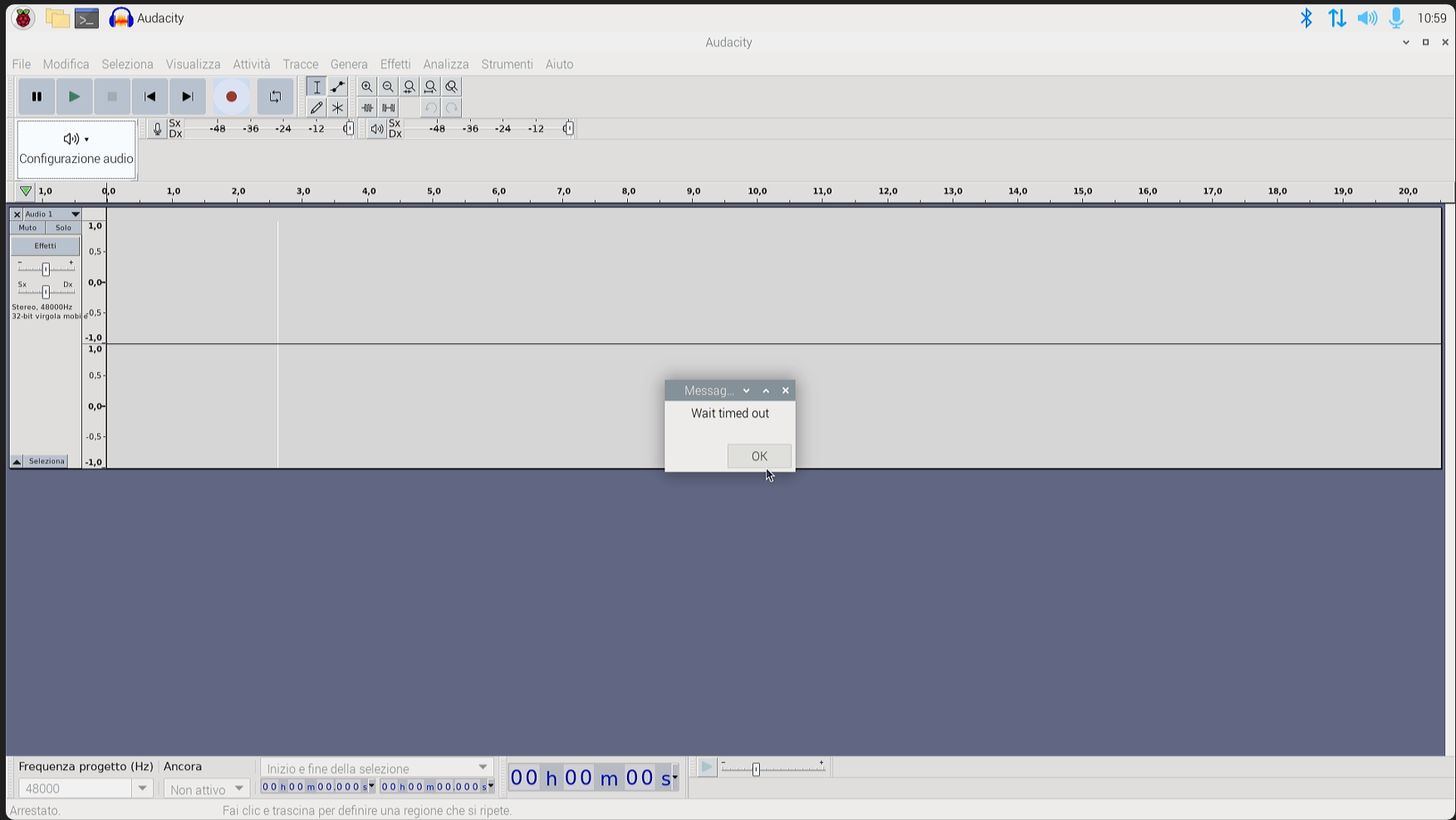
First, it should be noted that all tests were conducted using both recording channels 1 and 2 and a sampling rate of 48,000 Hz.Inoltre dopo aver cliccato ok su questo errore compare questo : " Errore durante l’apertura del dispositivo di registrazione , codice errore : 0 success"
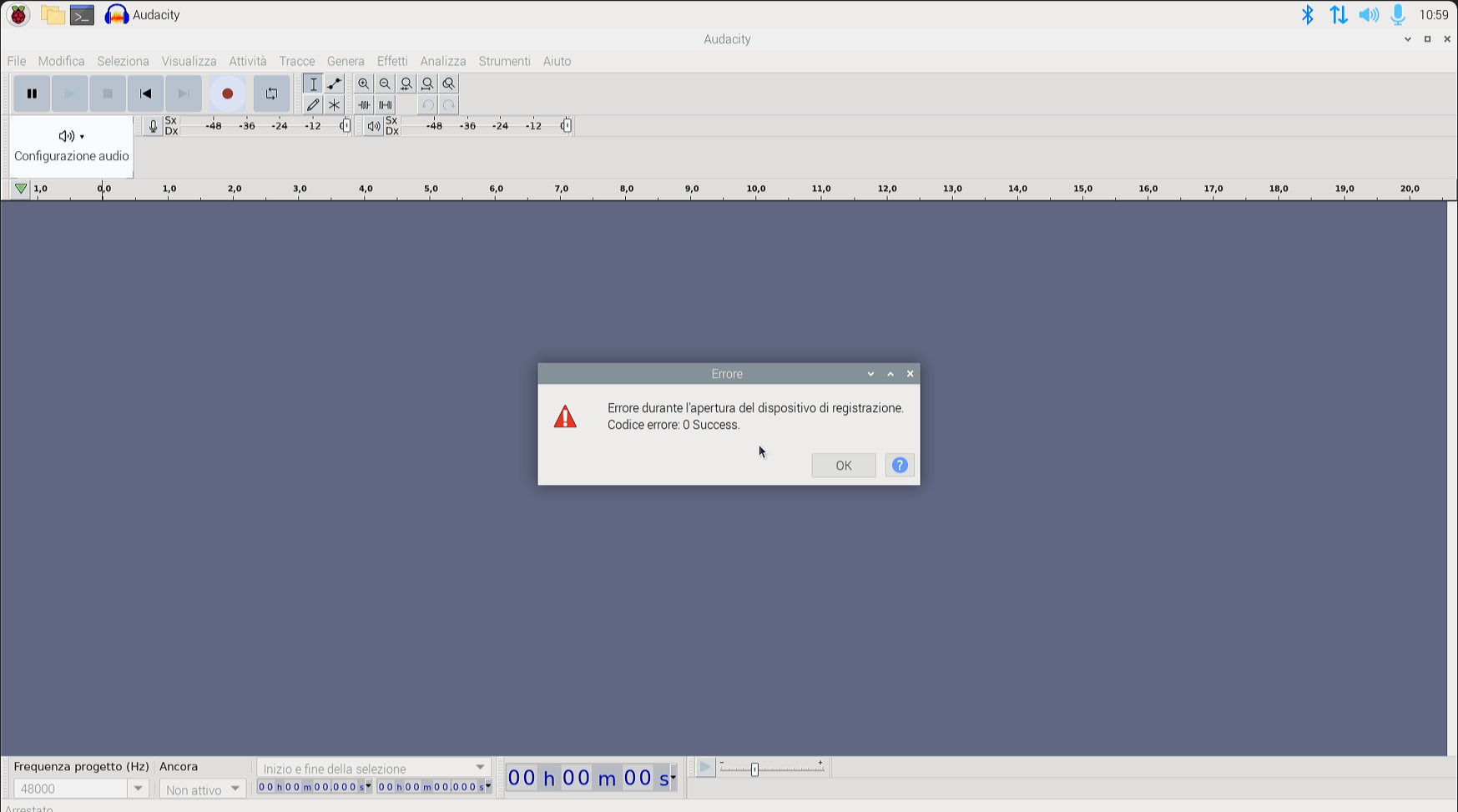
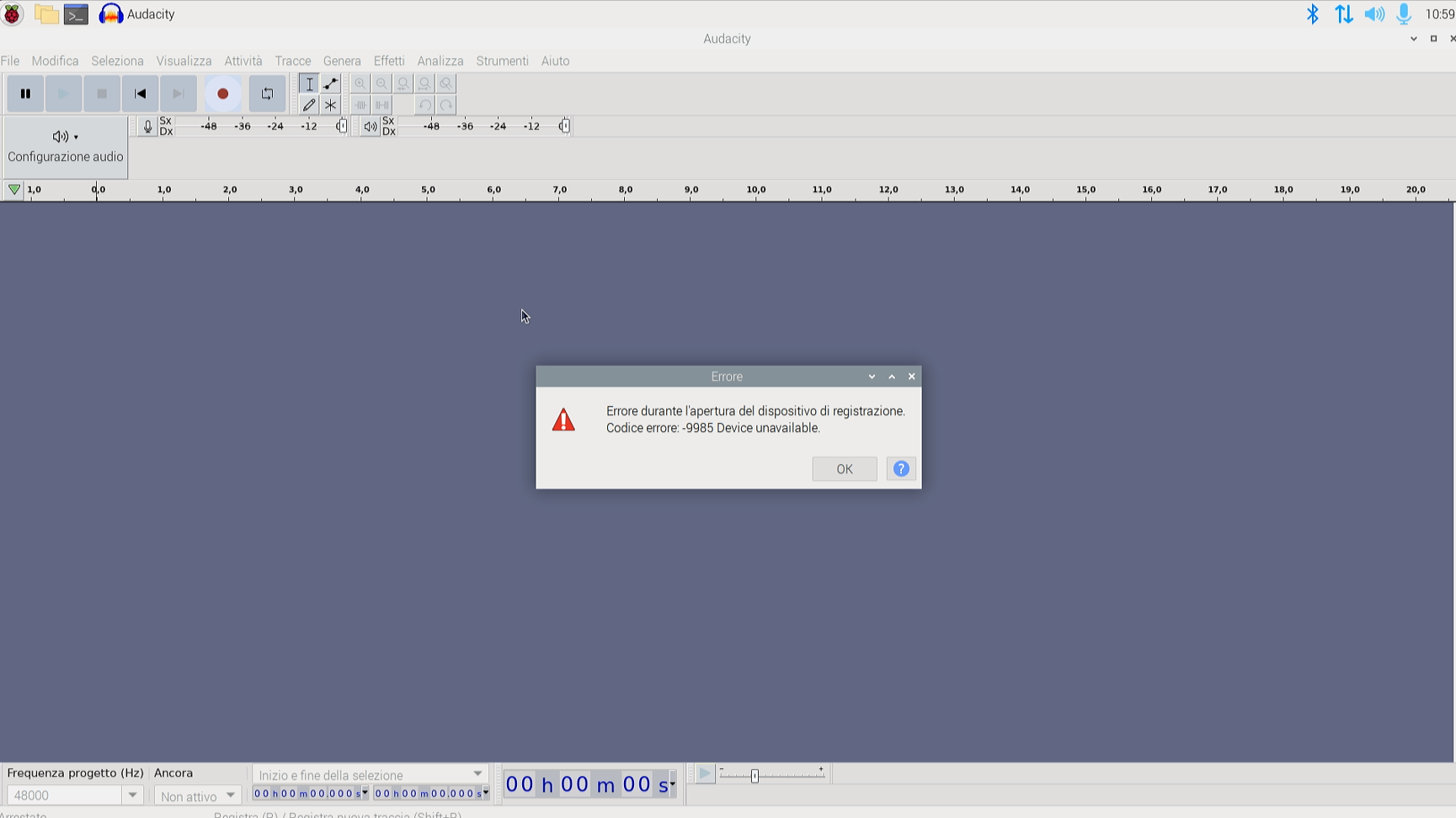
Once I click “OK” on this error, the next time I click on “Register,” the error code will be -9985 with the message “Device unavailable.”
But there’s something strange: according to the device’s official manual, if I run the command “arecord -D hw:2,0 -d 4 -r 48000 -c 2 -f S16_LE record_stereo_mic.wav,” it records audio where I can hear myself through the microphone and it plays back through the speaker.Given this issue, can you help me? I’d like to resolve not only the Audacity problem but also the Python one, because I can’t get it to start up and it’s giving me the same issues.
Hi Alex,

Thanks for the detailed report.

If this command works:

arecord -D hw:2,0 -d 4 -r 48000 -c 2 -f S16_LE record_stereo_mic.wav

then the Pi Audio Drive itself is detected correctly and the ALSA driver is working. So this looks more like an Audacity / PortAudio device-opening issue than a hardware issue.

The important point is this: hw:2,0 is the raw ALSA device. It is very strict. Audacity and Python audio libraries often try to open the device with slightly different parameters, or through PortAudio, and the raw hw device refuses that. After the first failure, the device may also stay busy, which explains the next -9985 Device unavailable error.

Please try using the ALSA plug layer instead:

arecord -D plughw:2,0 -d 5 -r 48000 -c 2 -f S16_LE test.wav
aplay -D plughw:2,0 test.wav

If this works, then in Audacity try these settings:

  • Host: ALSA
  • Recording device: plughw:2,0 if available
  • Playback device: plughw:2,0 if available
  • Channels: 2 stereo
  • Project rate: 48000 Hz

If plughw:2,0 is not listed, try default, sysdefault, or the PulseAudio/PipeWire device instead of the raw hw:2,0 entry.

You can also create a simple ALSA default device. Create or edit this file:

nano ~/.asoundrc

and add:

pcm.!default {
type plug
slave.pcm “hw:2,0”
}

ctl.!default {
type hw
card 2
}

Then reboot, open Audacity again, and select default as input/output.

For Python, the same rule applies: avoid opening hw:2,0 directly. Use plughw:2,0 or default, and force:

  • sample rate: 48000
  • channels: 2
  • format: S16_LE / int16

Also, after Audacity gives the error, please close Audacity completely before testing again. You can check whether something is still using the sound device with:

fuser -v /dev/snd/*

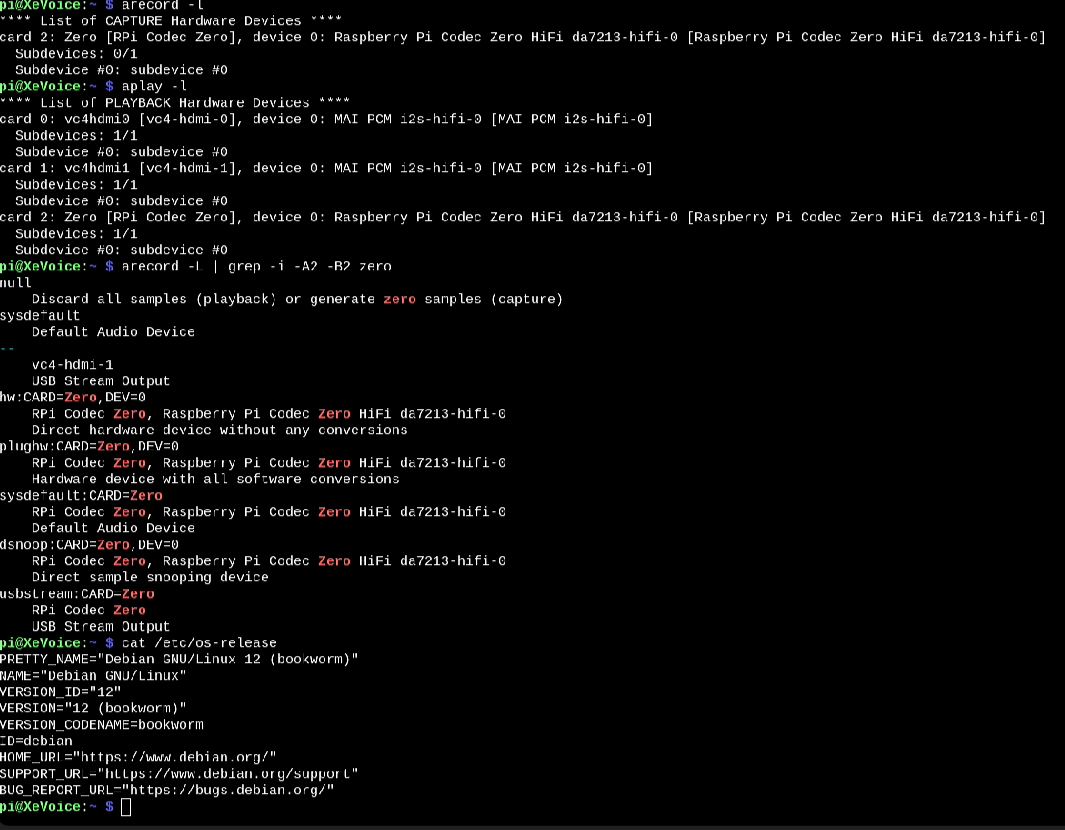
If you can, please post the output of:

arecord -l
aplay -l
arecord -L | grep -i -A2 -B2 zero
aplay -L | grep -i -A2 -B2 zero
cat /etc/os-release

That will tell us the exact ALSA device names on your system and whether we should use plughw:2,0, sysdefault:CARD=..., or another name.

Best,
Olivier

Thanks for the reply and the help, but sorry to say but they did not bring positive results, the command to record works, but as soon as I try the audacity settings they do not work, also making the asoundrc file and restarting does not solve anything, I attach below the screen of all the commands you asked me, thanks again