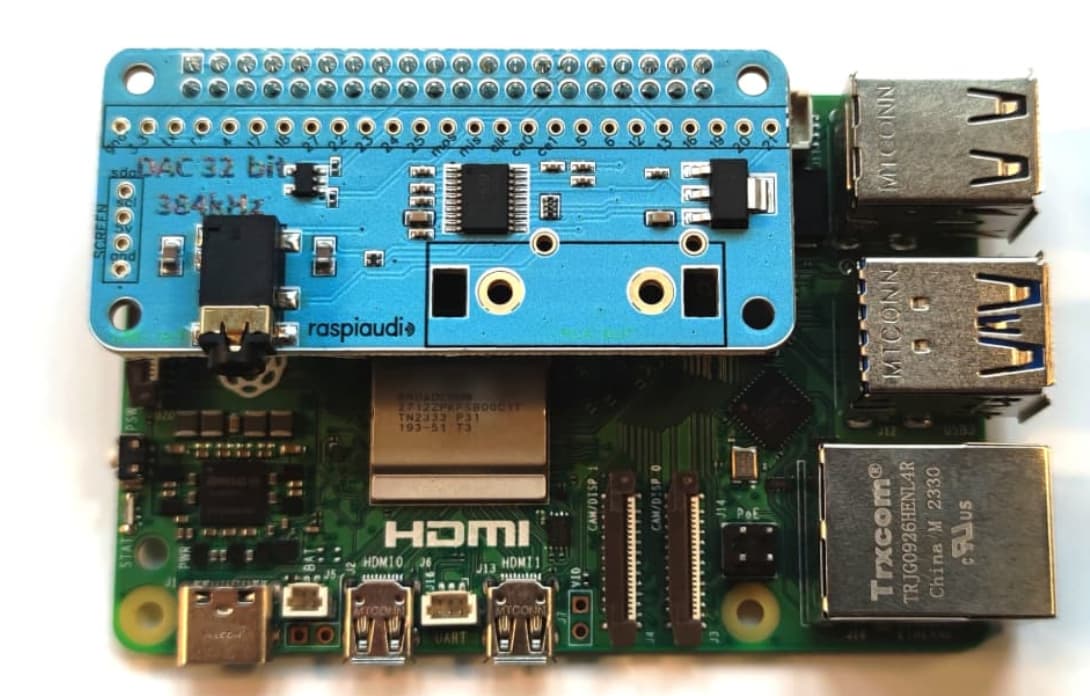
SunFounder Prionman Raspberry Pi 5 - Ubuntu Bookworm
Raspiaudio DAC 3v GIPO HAT
Connected to powered speakers… turned on and working.
I ran all updates.
Correct selection on raspi-config
many different possibilities on config.txt
Been working on this for weeks now. I purchased the DAC because I failed to get audio without it. Raspberry Pi 5 (or at least this one) does not have a audio plug on the board.
Becoming frustrated.
fr. d.
hello what is the model of your sound card?
With official Pi OS for Raspberry Pi 5 you don’t need to touch anything in the config.txt nor in raspi-config it will auto detect the sound card.
Restore config.txt to the original or try a fresh copy ot the Pi OS for Raspberry Pi 5 .
thx
That has not been the case for me. Yes, I have created a new OS SD and it does not recognize the hat. I just tried it. Raspi-config does not show it as an option.
I am disappointed.
Could it be that this particular DAC is faulty?
Did I purchase the wrong one?
I have the SunFounder Pironman in the case with SSD and 16GB of RAM.
I am not trying to run the camera or the 3x5 screen at the same time.
The OLED screen only works when it decides to do so.
fr. d.
this is not suposed to show up in raspi-config see AUDIO+ installation guide
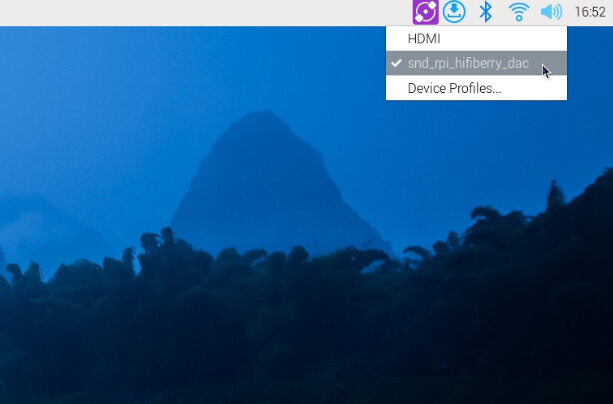
The icon (circle with diagonal diamonds and dot in the middle) does not exist on my desktop.
this menu appears when you click on the speaker
the purple icon is not related
Yes, and the snd-rpi_hifiberry_dac does appear and is checked.
Speakers are powered and connected. I have tried two different sets just to make sure.
We have very very few quality issue with this model and we test them all in our office berfore shipping but you can try to return it for free with Amazon and get another one.
Before I go to that extreme, would you mind sending me what the config.txt file is supposed to look like? Following every scrap of advice I may have made some alterations that are causing the problem. I did not purase the card from Amazon, but through Raspiaudio. I will try to find record if needed.
my simpler advise is to take a new SD card an burn the default PI OS, plug the shield, turn it on, play a youtube video. It should work out of the box nothing to modify.
Pardon my stupidity: what does “plug the shield” mean?
Sigh!
I know it is supposed to work … when first connected. As noted above.
Mine did not, as noted above.
Yes, I did try using a clean boot OS. It was not detected and it did not work as noted above.
I do not mean to be mean or arrogant, and I will try the clean boot again, but I am frustrated.
d